Telefono: 379 14 89 430
Orari: Monday to Friday, 9:00 a.m. to 6:00 p.m.



Telefono: 379 14 89 430
Orari: Monday to Friday, 9:00 a.m. to 6:00 p.m.
Raspberry Pi400: great for designing
19 August 2022

With this article I want to introduce you to a new toy from the Rapsberry Foundation: the PI400.
Everything you need as a testing platform inside a keyboard that is convenient, durable, practical, and quick to use. You connect power, a monitor via the included HDMI cable, and you can start designing and testing right away.
It is practical because you no longer need to have a raspberry in the middle of your desk with 12000 wires and peripherals attached, it is all concentrated there. A mini computer inside a simple keyboard, with GPIO connections so we can test our code by exporting it to the main project et voila, it’s done!
What it looks like
The Raspberry PI400 looks like a simple keyboard, comes with power supply, HDMI cable to connect to a monitor, SD card, power supply and Mouse. To start playing with it, all we have to do is download the new Raspberry OS (Raspbian has been discontinued) from the official site and in no time, we find ourselves with a fully functioning Linux computer. On the back are the USB ports, which are inconvenient for right-handed mouse users (practically most people) especially with the supplied mouse that does not have a very long cable, but the designers should have turned all the tracks upside down so that the position of the ports could be changed… Not too bad.
The colors are typical raspberry cover white keyboard and keys and red bottom. The plastics despite seeming of questionable quality at first glance are instead very durable.
Designed to be open
There are no screws in the Raspberry PI400; everything is designed to be disassembled as quickly as possible. Only inside there is an iron anchored plate that serves both as a support to improve the rigidity of the device and as a heat sink. There are in fact no fans, which is why it does not emit any kind of noise. There is an increasing move toward a fan-free perspective. Even in the new Apple laptops with Chip M1, the fan is completely absent.
GPIO Expansion Bay for PI400
It comes in very handy to purchase on Amazon this Expansion Bay for GPIO at this link that allows you to make connections conveniently, without having to operate on the pins of the PI400 that are located inside a recess that is not exactly easy to reach.
It thus becomes very easy to connect any kind of external sensor.
Hardware
Hardware-wise it is virtually identical to the 4Gb Raspberry PI4 except for the size of course.
- Broadcom BCM2711 quad-core Cortex-A72 (ARM v8) 64-bit SoC @ 1.8GHz
- 4GB LPDDR4-3200
- Dual-band (2.4GHz and 5.0GHz) IEEE 802.11b/g/n/ac wireless LAN
- Bluetooth 5.0, BLE
- Gigabit Ethernet
- 2 × USB 3.0 and 1 × USB 2.0 ports
- Horizontal 40-pin GPIO header
- 2 × micro HDMI ports (supports up to 4Kp60)
- H.265 (4Kp60 decode); H.264 (1080p60 decode, 1080p30 encode); OpenGL ES 3.1, Vulkan 1.0
- MicroSD card slot
- 78- or 79-key compact keyboard (depends on language variants)
- 5V DC via USB-C connector
- Operating temperature: 0°C to +50°C ambient
- Dimensions 286 mm × 122 mm × 23 mm
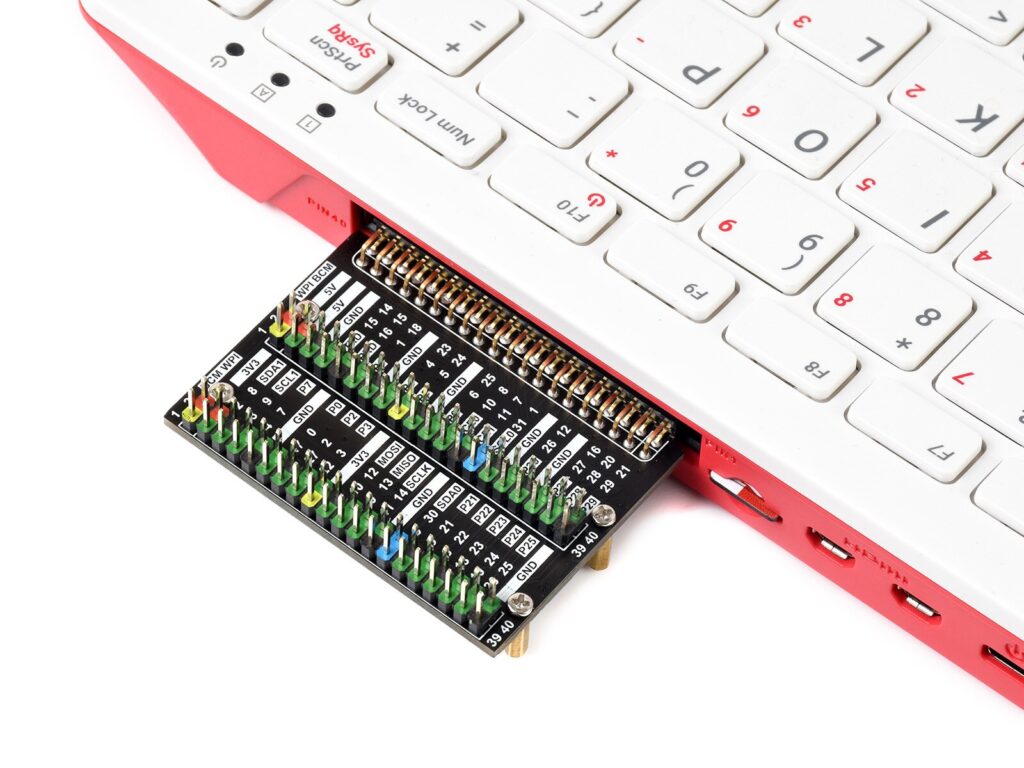
Raspberry PI400 GPIO extender
Honestly, I really appreciated this product, which saved me a lot of time in the prototyping phase of my projects with Raspberry PI. I highly recommend it to all designers working with this tool.
[starbox]
Author

Simone Renzi
CEO at RENOR & Partners
Latest published articles
Tuesday, 29 September 2026
Cloud Migration Consulting for Companies in Italy: Selection Guide
Why more and more Italian SMEs are migrating to the cloudFor years, many small and medium-sized Ital...
Pubblicato da Simone Renzi
Tuesday, 22 September 2026
Serverless Application Development for Enterprises: Strategic Guide to Benefits
What "serverless" means (explained without the jargon)The term "serverless" is o...
Pubblicato da Simone Renzi
Tuesday, 15 September 2026
Development of a Custom Cloud Platform for SMEs: Practical Guide
Why should an SME choose a custom cloud platformMany small and medium-sized businesses start with st...
Pubblicato da Simone Renzi
Potrebbero interessarti anche
Tuesday, 18 August 2026
3D Printing Service for Companies: How It Works and When It’s Worth It
What is third-party 3D printing and who needs itThird-party 3D printing is a service where a company outsources the production of ...
Pubblicato da Simone Renzi
Monday, 17 August 2026
Software for managing business IoT devices: selection guide
Why Your Business Needs IoT Device Management SoftwareWhen a company has just a few connected devices, keeping them under control ...
Pubblicato da Simone Renzi
Sunday, 16 August 2026
Quote for an industrial telemetry system: what affects costs
What is an industrial telemetry system and what is it used forAn industrial telemetry system is a collection of devices and techno...
Pubblicato da Simone Renzi
Tuesday, 11 August 2026
How Much Does It Cost to Develop a Custom IoT Platform for Your Business
What Is a Custom IoT Platform (and Why Build One Tailored to Your Needs)An IoT platform is the set of components that allows physi...
Pubblicato da Simone Renzi
Monday, 06 July 2026
Electronic Design in Italy: Guide for Companies Developing New Products
What is electronic design and why it's strategic for your businessElectronic design is the process that transforms a product ...
Pubblicato da Simone Renzi
Sunday, 25 May 2025
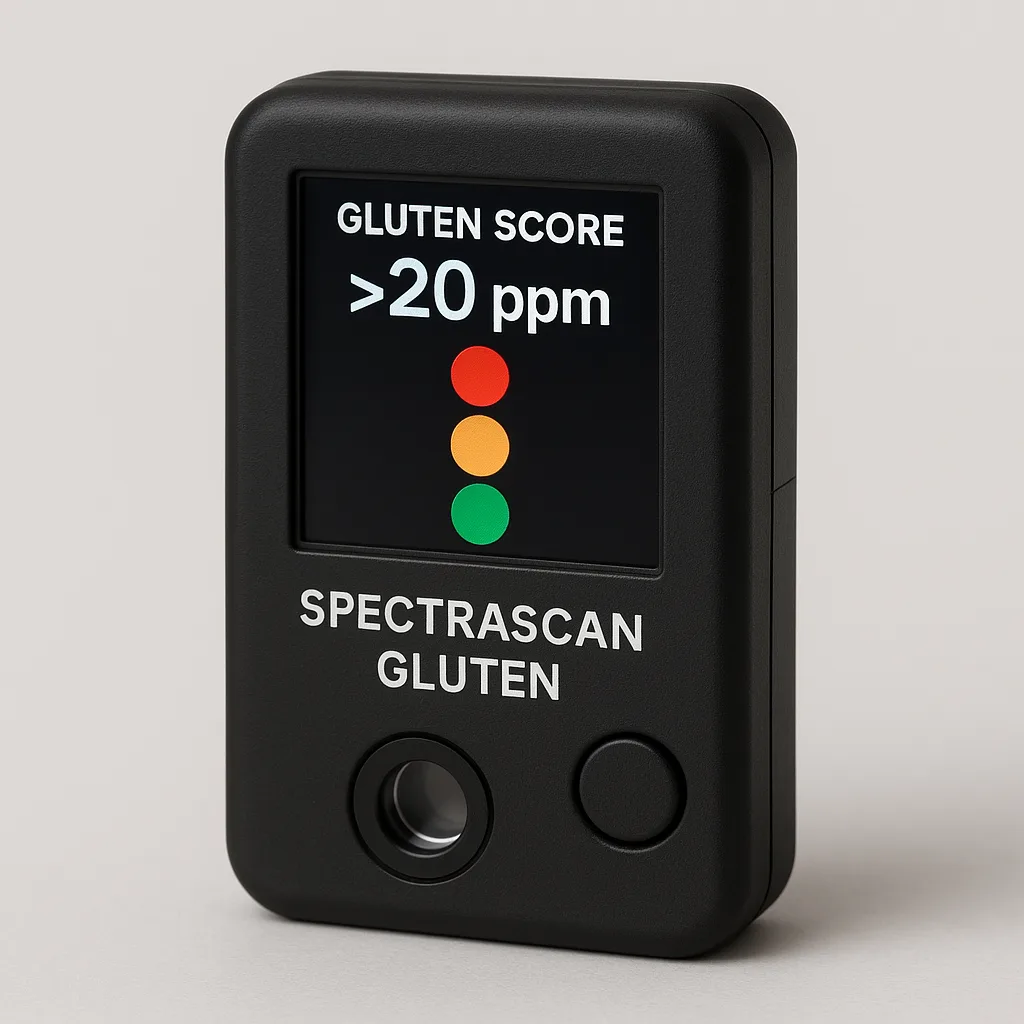
SpectraScan Gluten: the pocket-sized gluten detector for celiacs
For about seven years I have been living with celiac disease, a condition I was diagnosed with after a long period of widespread a...
Pubblicato da Simone Renzi