Telefono: 379 14 89 430
Orari: Monday to Friday, 9:00 a.m. to 6:00 p.m.

Scegli quali categorie di cookie autorizzare. I cookie necessari sono sempre attivi per garantire sicurezza e funzionalità di base.
Telefono: 379 14 89 430
Orari: Monday to Friday, 9:00 a.m. to 6:00 p.m.


Telefono: 379 14 89 430
Orari: Monday to Friday, 9:00 a.m. to 6:00 p.m.

The most advanced cloud system for increasing the performance of outbound marketing departments
To create the OMM System, we visited companies and closely analyzed the work of over 400 outbound operators who used traditional methods, such as manually searching for contacts on the web (which is not permitted).
We collected all the critical issues and built a lightning-fast solution that is structured and adaptable to any business context.
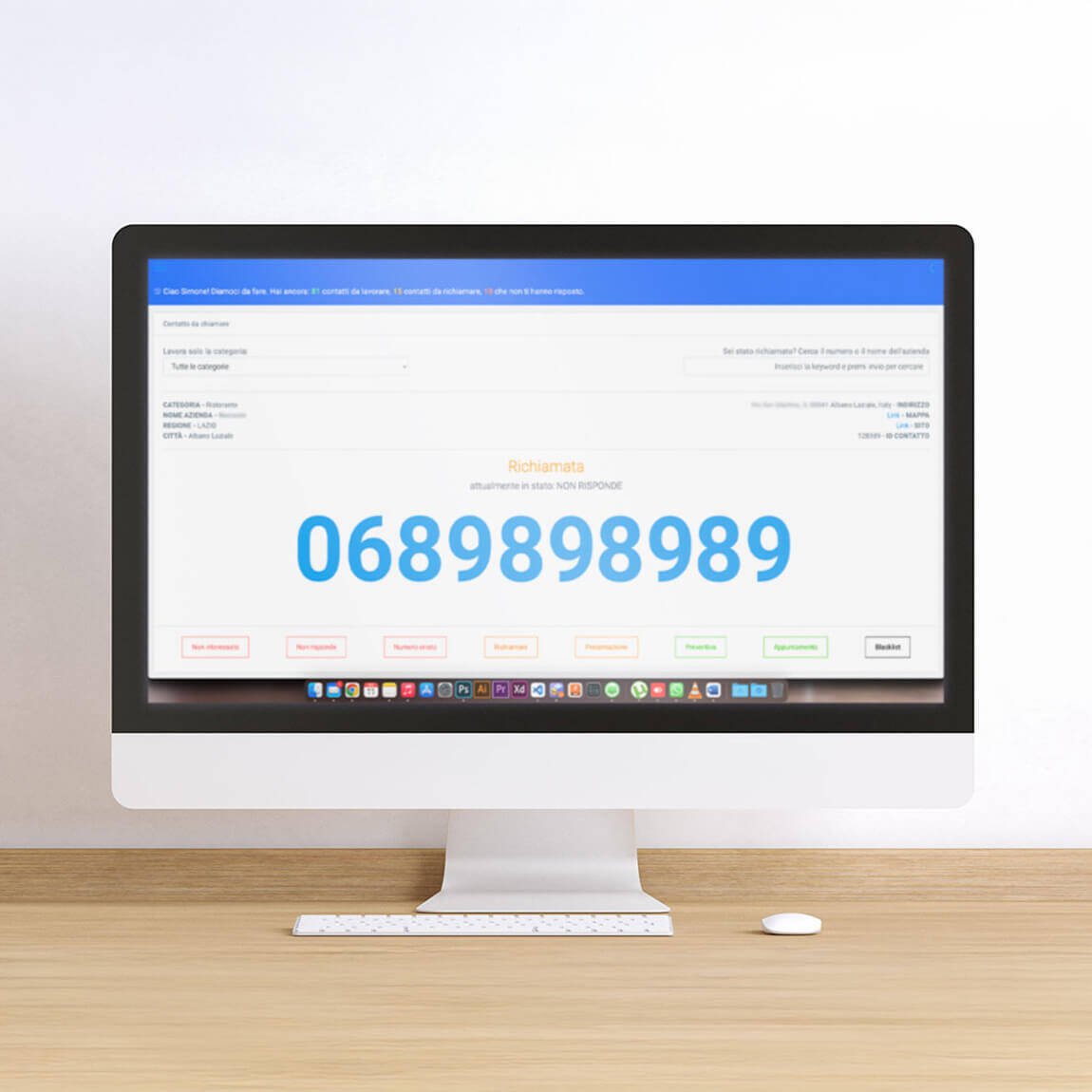
Before adopting the OMM System, most outbound departments still work with manual processes that are slow and difficult to monitor. Scattered notes, forgotten callbacks, manually managed documents, and no control over remote work generate errors, wasted time, and poor productivity. Here are the main problems plaguing the traditional model.
In a department that has to deliver results, the variable “time” is the most important factor. We have created a system where operators are freed from slow and cumbersome processes, allowing them to focus 100% on what they do best: selling your product to other people over the phone.
Each time an operator issues a result, the software offers a number of options that change depending on the result to be issued. For each result issued, the operator has the option of adding notes about the contact. The notes will be displayed when the same operator or another operator assigned to the contact in question has to work on it again.
The contact notes show not only the note taken, but also the name of the operator who wrote it and the date and time it was entered.
This makes it possible to immediately review the notes as needed before making the call and to be updated on the status of that contact.
When a contact requests a callback, the operator must simply mark that contact as “contact to be called back” in the results. They will set the date and time of the call, and the contact will simply be reinserted into the list and shown again to the operator at the set date and time.
That’s not all! All contacts are normally displayed in blue. The phone numbers to be called back are displayed on the screen in orange, so that the operator can immediately recognize that the contact they are about to call is actually someone who has already been contacted.
One of the main problems, which can also create legal difficulties, is repeatedly calling a contact who has expressly asked not to be contacted again.
With manual solutions, it was impossible to keep track of numbers that should no longer be called. We have solved this problem by integrating a Blacklist.
The operator simply has to add the contact to the Blacklist with a simple mouse click, and the contact will never be offered to any operator again.
Another procedure that takes up a lot of operators’ time is undoubtedly sending advertising material. In this case, after obtaining the email address to which to send the advertising material, the operator had to open the email client, write the recipient’s email address, write a subject line, enter the body of the message, and finally attach the PDF presentation document.
This entire procedure is now a thing of the past. If the customer requests advertising material, the operator simply has to click on the “Presentation” button, enter the email address of the message recipient, and confirm. This 3-second operation will allow you to send everything requested by the customer while they are still on the phone with the operator, who can then confirm the sending of the material in real time.
If sending an introductory email was a lengthy process, sending a quote was even more so. The operator had to collect the customer’s information, write it down, and pass it on to the department responsible for generating the quote, typically by modifying a Word template. This was then attached to an email and sent to the customer.
With OMM, you can integrate a customized quote submission form. The operator simply has to enter the required data, and with a click of the mouse, the customer will receive their quote, stamped and signed by the company, in PDF format while they are still on the phone.
Due to COVID-19, more and more companies have moved towards smart working. In Italy, this agile working method has produced mixed results. Model workers have enthusiastically embraced this new way of working, producing more, while others have become complacent due to the lack of control mechanisms over their work.
With OMM, it makes no difference whether your operators are in the office or at home. You can even save on rent or allocate more modest spaces by sending your employees to work remotely, while still having TOTAL control over your department.
Upon request, it is possible to integrate synchronization with Google Calendar or with a management system dedicated to the sales department. The operator who sets an appointment only needs to enter the appointment details to be reported to the sales consultant and an available date. The consultant will automatically receive the appointment.
The software natively allows the appointment to be reported to the Team Leader interface, who will then organize the sales consultant’s visit.
At OMM, we have integrated an easy-to-understand interface for reading your department’s statistical data. Not only can you check the department’s performance, but you can also drill down to the statistics for each individual operator!
The available metrics include:
You can also use this data to understand the categories that respond best to your offer and/or their geographic location so that you can target your marketing to produce even more.


RENOR & Partners S.r.l.
Via Cicerone, 15 - 00072 Ariccia (RM)
Partita IVA:
16768411007
16768411007
REA:
RM-1674420
Capitale sociale:
€ 10.000,00
Telefono

Follow us
/ Contacts /
Let's talk about your project
Contact us without obligation to request information: fill out the form and one of our consultants will call you back within 24 hours.
© 2026 RENOR & Partners S.r.l. | All rights reserved
Questo sito è protetto da reCAPTCHA e si applicano la Privacy Policy e i Termini di Servizio di Google.